Why offline-first matters for your pet's records
Key facts
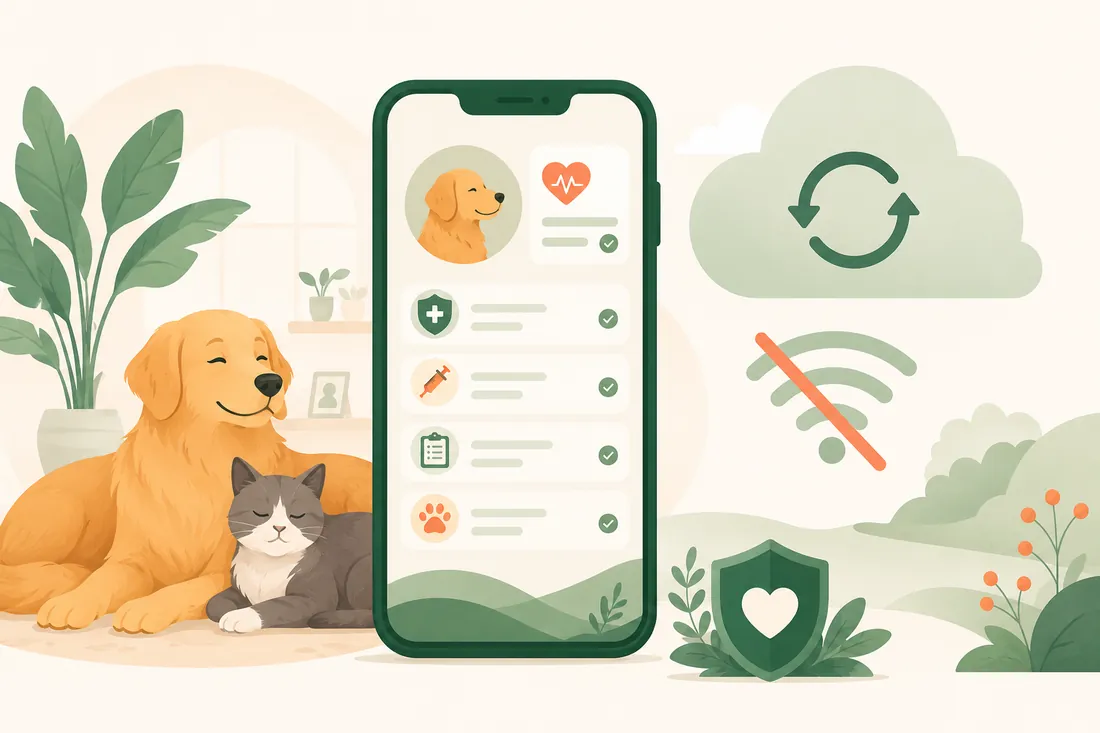
- An offline-first app stores your data on the device and treats syncing as a background job, so it still works with no signal.
- In Maggie, records saved on your phone can be read and updated offline, and new entries sync when a connection returns.
- Maggie's reminders are scheduled on the phone itself, so they still arrive when the phone has no connection.
- On the Free plan, records stay on your phone with no cloud copy. Plus adds cloud backup and sync across your own devices, and Pro adds household sharing.
On this page
Offline-first means an app keeps your data on your phone and works fully without a connection, with syncing done in the background later. For pet health records, that matters, because you often need them in places with bad signal: a clinic waiting room, a kennel drop-off, a rural walk or abroad. Maggie is built this way. Your dog’s records open, and new entries save, whether or not you have signal.
Most apps today assume a constant connection. Open a page and it loads from a server. Save a form and it goes straight to the cloud. When the connection drops, you see a spinner, an error or a blank screen. For many apps that is a small annoyance. For a pet health app, it can be a real problem.
When you need records most
Think about the moments when you actually need your pet’s vaccination certificate, their last vet visit or the medicine they are on now:
- At the vet clinic, with patchy building Wi-Fi
- At a boarding kennel during drop-off, when they ask for proof of vaccination
- On a walk when your dog eats something suspicious and you need to check their history fast
- Travelling abroad, where data roaming is expensive or switched off
- In a rural area with limited mobile coverage
These are exactly the moments when a cloud-dependent app fails you, and exactly the moments when the information matters most. Travel is a common one: the Ink & Switch essay on local-first software notes that many people turn off mobile data abroad because of roaming costs.
What offline-first actually means
Offline-first is a design approach where the app works completely without a connection, and syncing is a background job rather than a requirement. Google’s Android guide to offline-first apps puts the minimum simply: an offline-first app must at least be able to read its data without network access.
| Cloud-first app | Offline-first app | |
|---|---|---|
| Where your data is read from | A server, each time | Storage on your phone |
| No signal | Spinner, error or blank screen | Works as normal |
| Saving a new entry | Fails or waits | Saved on the phone, synced later |
| Reminders | May depend on a server | Scheduled on the phone |
In a cloud-first app, the server holds the only working copy. If the server is out of reach, there is no data. In an offline-first app, the phone holds a full working copy. The app reads from and writes to local storage, and sync happens whenever a connection is available.
How Maggie handles it
Every pet record, vaccine entry and health event is saved on your phone first. Offline, you can still:
- Open your dog’s records, vaccine history and medicines
- Log a dose, a meal, a walk or a diary entry
- Check what is due next
- Open the pet passport, a shareable summary of your dog’s essentials
When a connection returns on a paid plan, your changes are queued and sent in order. If two people in a Pro household edit the same record, the server settles which edit wins, and both phones end up with the same result.
What needs a connection is honest and short: cloud backup, syncing to your other devices, shared updates from family members, and Leo, who answers from a server.
Reminders that do not need the cloud
Phone notifications in Maggie are scheduled on the phone from the care schedules stored there. They are not fetched from a server when it is time to fire. So your reminder for next week’s flea treatment still arrives even if your phone has been in aeroplane mode for days. You only need notification permission switched on in your phone settings.
Small detail. Big difference in practice.
Your records, your phone
There is also a deeper principle. When an app only keeps data on a server, you depend on that service staying up, your account staying active, and the terms not changing in a way that affects your access. With offline-first, your pet’s records exist on your device.
This matters for privacy too. On the Free plan, records, photos and documents stay on your phone with no cloud copy at all. Plus adds cloud backup and sync across your own devices, and Pro adds household sharing. The trade-off is plain: if you lose a phone on Free, the records go with it. If that worries you, a paid plan keeps a backup you can restore on a new phone.
Offline-first does not replace paper either. Disaster planners such as Ready.gov advise keeping copies of your pet’s records in an emergency kit, and a clinic or border may still want signed originals.
Why this is the right default for health records
Health records are not casual data. You may need them urgently, in places where a connection problem is the last thing you want to deal with. They are also personal, covering your pet’s medical history and your household’s routine.
Building offline-first is the harder engineering choice. It means handling local state, a queue of changes, and settling conflicts correctly. But it produces a more trustworthy, more resilient app, one that works for you in the moments that matter.
That is the kind of app Maggie aims to be.
Frequently asked questions
What does offline-first mean?
It means the app keeps your data on the device and works fully without a connection. Syncing with a server happens in the background when a connection is available, instead of being needed for every action.
Does Maggie work without internet?
Yes. Records saved on your phone can be read and updated offline, and reminders are scheduled on the phone, so they still arrive. Cloud backup, syncing and shared updates need a connection.
Do pet reminders work in aeroplane mode?
In Maggie, yes. Reminders are scheduled on the phone from your saved care schedules, so they do not need a server at the moment they fire. They do need notification permission in your phone settings.
What happens to my pet's records if I lose my phone?
On the Free plan, records live only on that phone, so they go with it. Plus and Pro keep a cloud backup, so you can sign in on a new phone and get them back.
Care for your dog with Maggie & Leo
Keep your family's health records, vaccines, weight, and reminders organised in one calm place. Ask Leo for careful AI guidance grounded in your dog's real history. Free to start.
Related guides
-

When is flea and tick season for dogs? Months by country
Tick season runs from March to November in the US and UK, April to October in India, and most of the year in Australia. See the months for your country.
-
A weight plan for your dog, built from the scale and a body check
How Maggie's weight plan works: what it needs, the daily routine it gives, when it sends you to a vet first, and what it does when weight falls too fast.
-

A home-cooked recipe made for your dog, your country and your kitchen
How Maggie's food plan works: grams for each meal, recipes written for one dog from foods your family cooks, and the checks every recipe must pass first.